
Use Case Diagrams
Clarify your requirements with the rich diagramming capabilities in CaseComplete. Sharing your diagrams with stakeholders is easy. They're automatically inserted into your generated Word reports, bringing your use cases, requirements and diagrams together in one place.
Use Case Diagrams
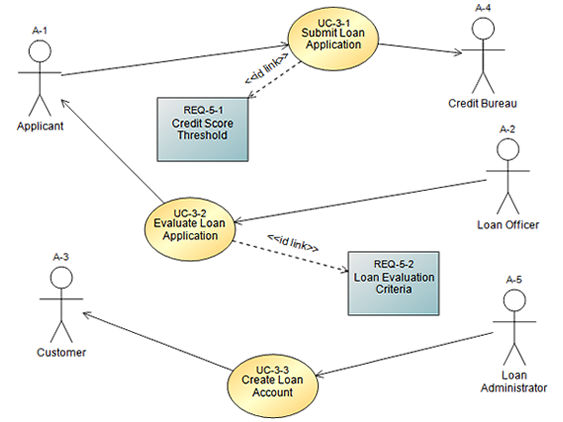
When you drag and drop your existing use cases and actors into a diagram, your defined relationships between elements are automatically drawn.
Activity Diagrams
Automatically generate activity diagrams from your Use Cases. Provide your readers with a graphical representation of the workflow.

Screen Mockups
It's easy to create realistic screen mockups of your web or desktop applications using CaseComplete's built-in shapes library. Or create your own library of custom shapes.

Free-Form Diagrams
CaseComplete's library of shapes lets you create a wide variety of diagrams to help get your point across.

